
How to add your bank detail?
Connecting to Stripe and adding your bank detail.
- From home screen, go to to profile
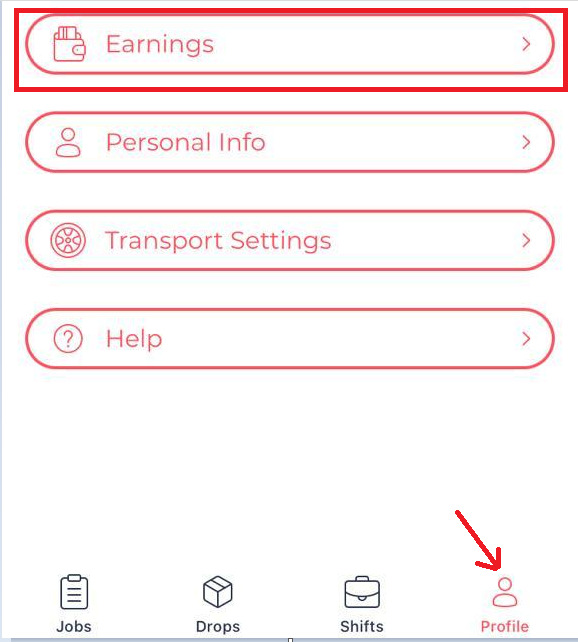
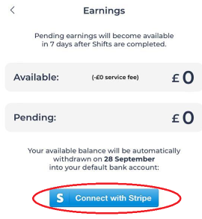
- From earnings, press “connect with stripe”
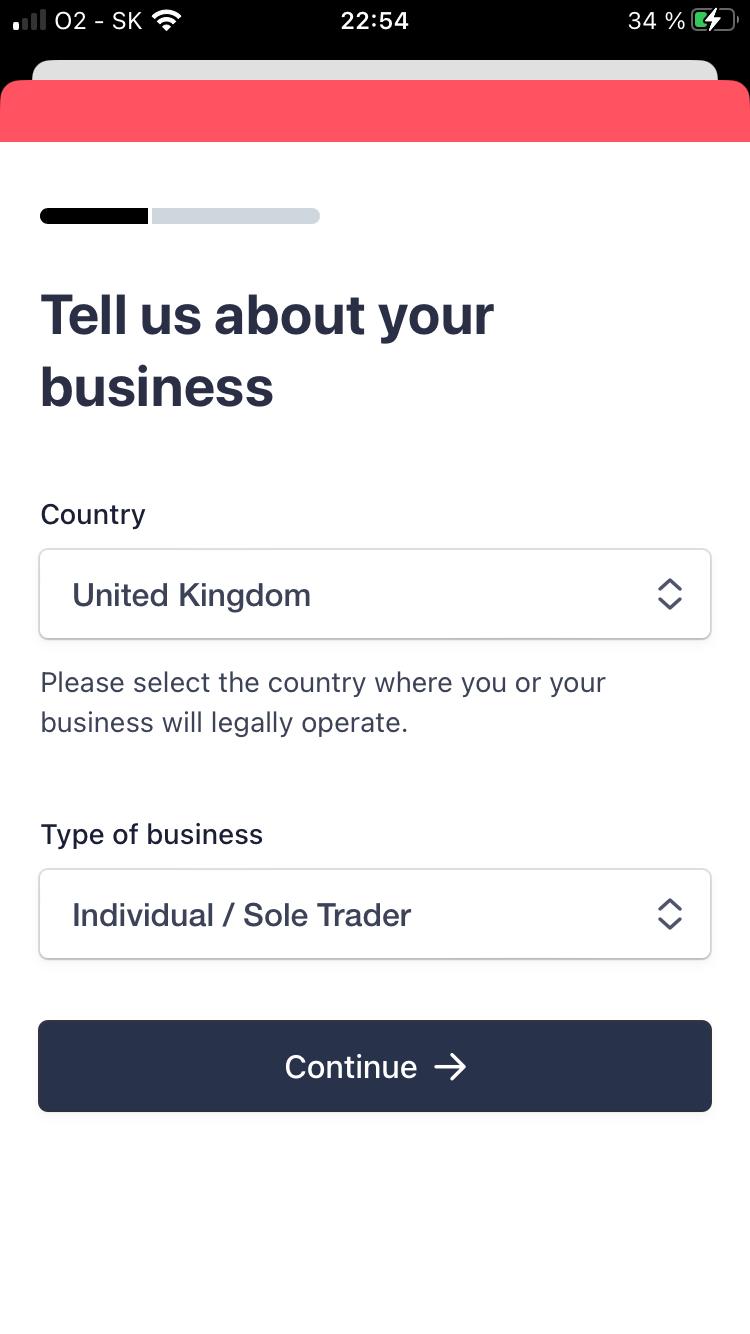
- Go to Type of business and select “Individual/Sole Trader” entity option
- Ignore the website and add a product description instead. For website you can use: mealshift.co.uk
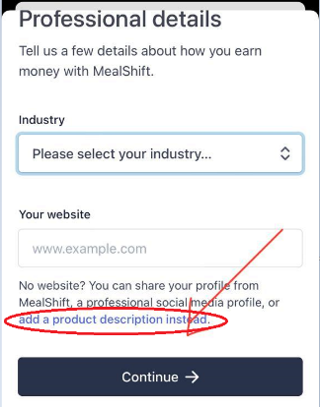
- Add a description of your job: Food delivery courier
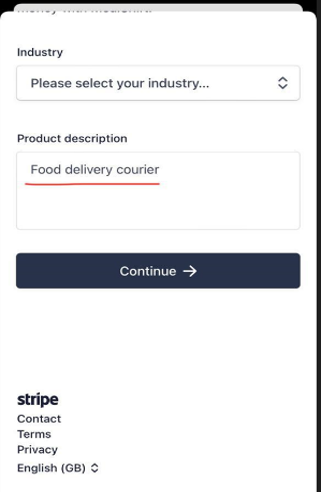
Continue to add you personal and bank detail.

Updating Your Bank Details
Step-by-Step Guide: Updating Your Bank Details on MealShift
- Open your MealShift account and go to your profile.

- Click on “Manage”

- Locate and select your profile avatar on the right-hand side.

- Scroll down to find “Payout Details.”

- Press on the cross icon next to “Add an Account.”

- Finally, add the bank details that you’d like to switch to.

Follow these steps to successfully update your bank details on MealShift.
